Forms & Scribs AI
Forms built for clubs, drafted by AI
Sign-ups, permission details, interest surveys, and feedback, all connected to your members. Describe the form to Scribs and it builds the first draft for you.
Question types
Every question a club actually asks
Six question types cover sign-ups, logistics, votes, and feedback. Linear scales go up to 20 points, and file uploads accept images, video, and documents up to 30 MB.
- Short answer
- Names of guests, T-shirt sizes, a parent’s phone number.
- Paragraph
- Longer answers like “why would you be a great officer?”
- Multiple choice
- One answer from a list, like which session someone will attend.
- Checkboxes
- Pick all that apply, like dietary needs or skills.
- Linear scale
- Ratings from 1 up to 20, with labels for the ends.
- File upload
- Images, video, and documents up to 30 MB per file.

Scribs
Tell Scribs what you need. Review, then publish.
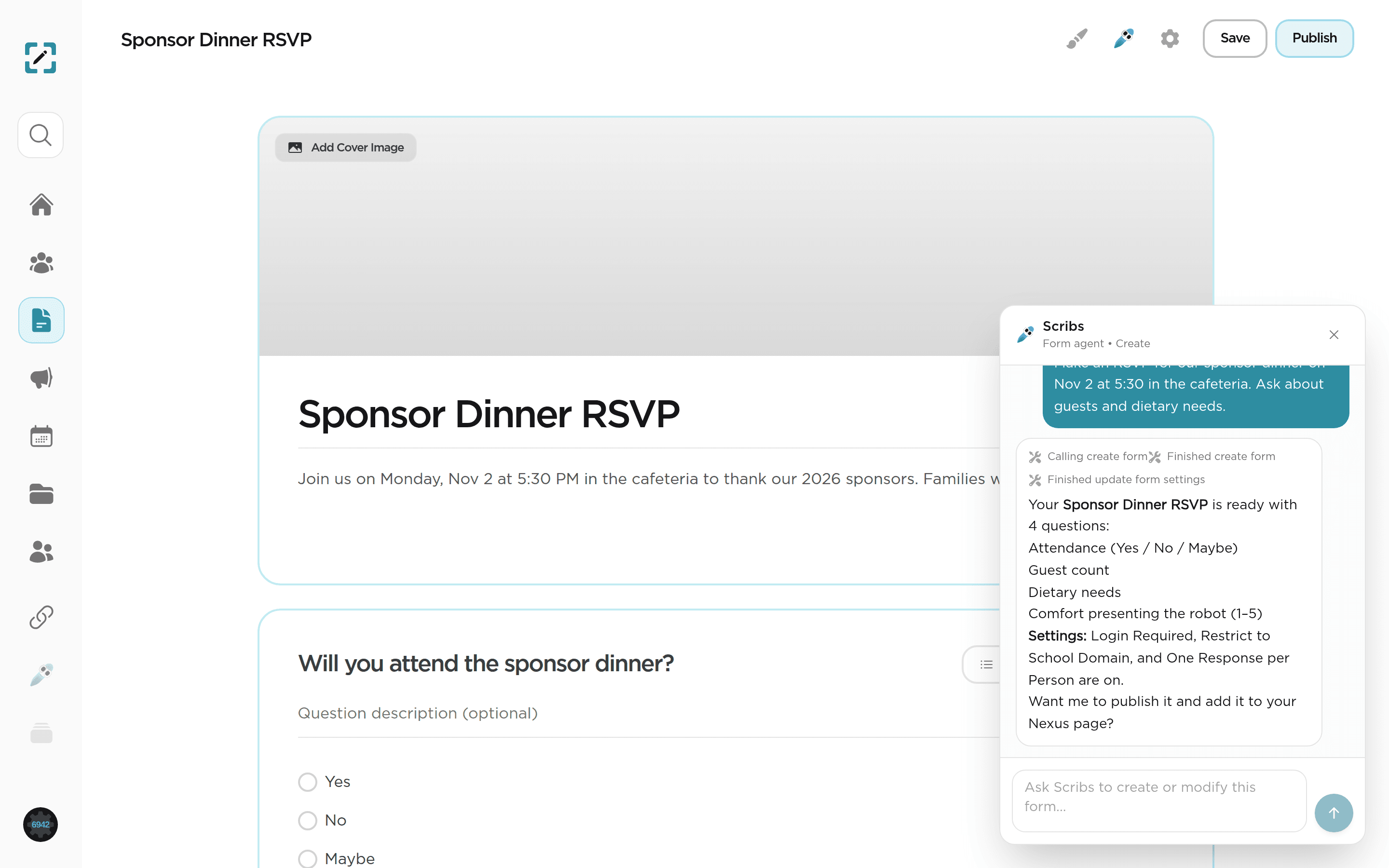
Scribs knows your club, so its drafts sound like you. It picks the right question types, turns on the right privacy settings, and shows you exactly what changed before anything goes live. Ask it to add a question, change a scale, or publish, all in plain English.
Scribs
Form agent · Lincoln Robotics
Draft
Untitled form
Describe your form to Scribs.
In the app
Edit side by side with Scribs
Scribs lives right next to the form editor. Every change it makes appears in the draft immediately, with a summary of what it added, removed, or adjusted.
- Never adds name or email questions, because identity comes from the member’s account
- Explains setting changes in plain language, like “Login Required”
- Asks before publishing and hands you the share link
AI summaries
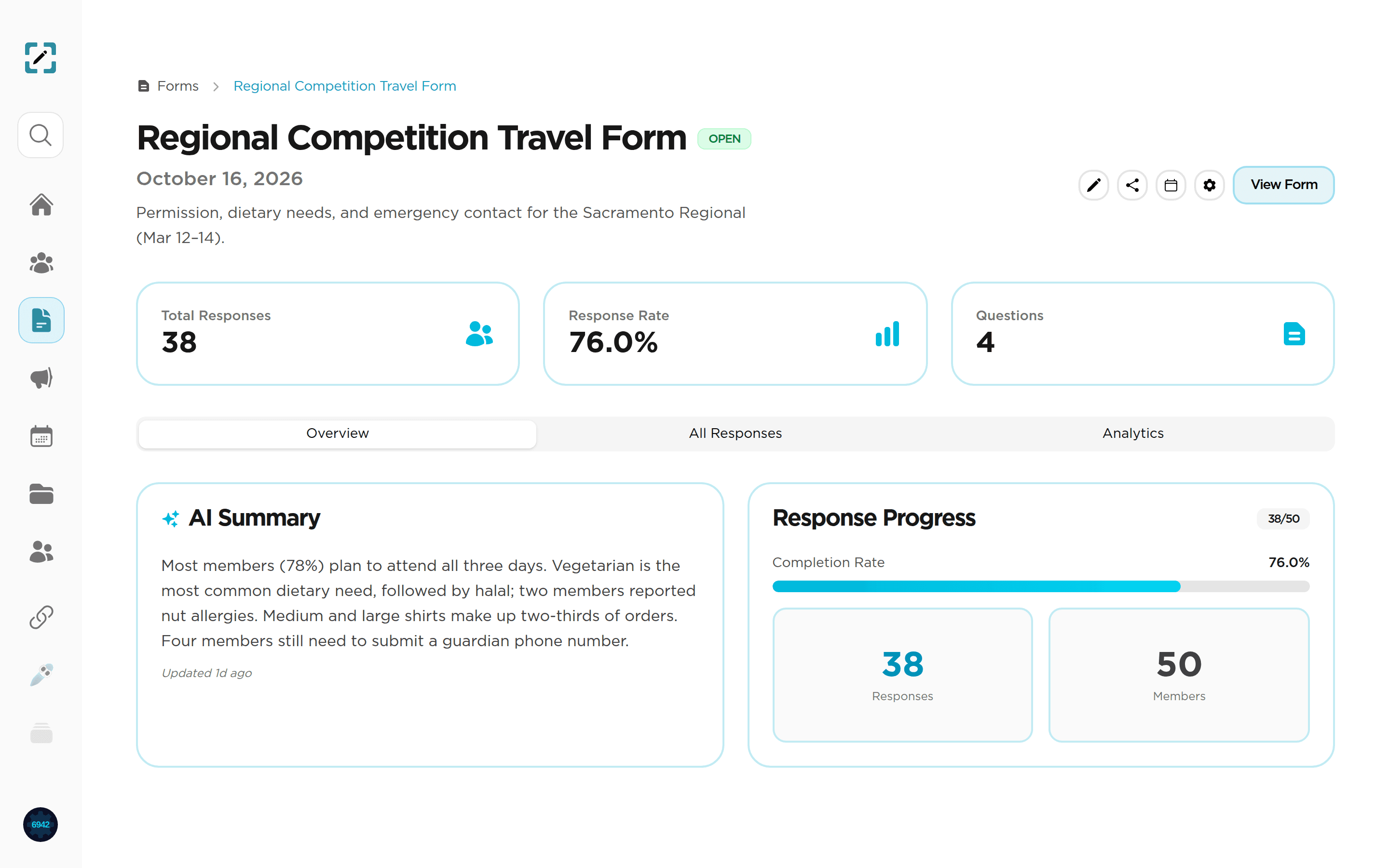
Thirty-eight responses, read in ten seconds
When responses come in, Scribs writes a short summary of what they say: who is coming, what people need, and what is still missing. The summary is refreshed as new responses come in.
Analytics
Charts for every question, automatically
See how members answered each question without exporting a spreadsheet. Response rate, completion progress, and a breakdown per question update as responses arrive.

Responding
Easy to fill out on any phone
Members respond in a clean, mobile-friendly form. Share it as a link, attach it to a meeting or announcement, or pin it to your Nexus page.
- Login required
- Only signed-in members can respond, and you know exactly who did.
- School domain only
- Limit responses to accounts on your school’s email domain.
- One response per person
- No duplicate submissions to clean up later.
- Response limits
- Close the form automatically when the bus or the room is full.
- Anonymous responses
- Collect honest feedback without names attached.
- Open or closed
- Start and stop accepting responses with one switch.

FAQ
Frequently asked questions
Your next form is one sentence away
Start free in minutes. Club+ includes a 14-day trial, no credit card required.